

Hover
Walk around a building taking smartphone photos to generate a 3D exterior model with exact roof and wall measurements.
hover.to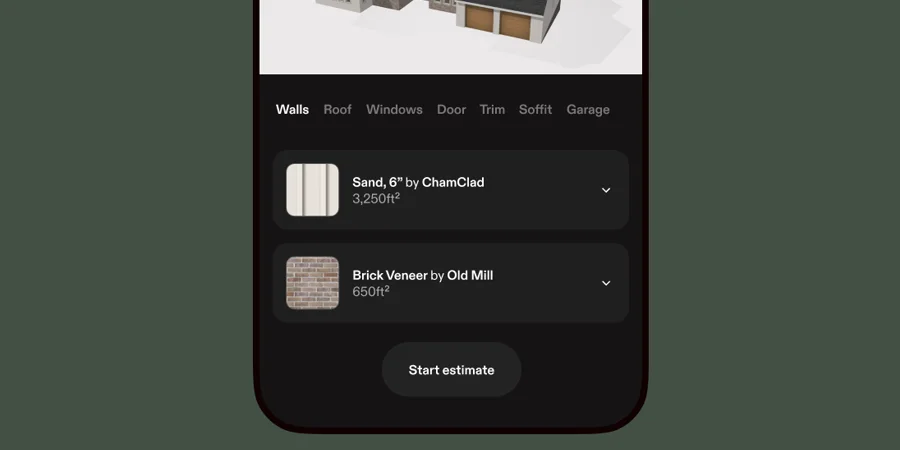
Common uses
Workflow overview
- Workflow stage
- 3D exterior measurement & takeoffs
- Best suited for
- Roofing, siding, remodeling contractors, and insurance adjusters generating exact exterior measurements from phone photos.
- Practical tip
- Capture all four corners and clean straight-on elevations with minimal foliage blocking rooflines.
FOR MAKERS & TEAMS
Building Hover? Share your listing badge
Hover is hand-picked in Tool Dock’s specialist AI index (no generic chatbots or waitlists). Drop this lightweight SVG badge on your site or press page.

Frequently asked questions
What is Hover best used for?
Hover (hover.to) is a specialist field & practice tool focused on roof measurements, 3d exteriors, contractor estimates. Walk around a building taking smartphone photos to generate a 3D exterior model with exact roof and wall measurements.
Who should use Hover and at what workflow stage?
Hover fits the "3D exterior measurement & takeoffs" stage and is best suited for roofing, siding, remodeling contractors, and insurance adjusters generating exact exterior measurements from phone photos. Practical tip: Capture all four corners and clean straight-on elevations with minimal foliage blocking rooflines.
What are good alternatives to Hover?
Related specialist tools in Field & Practice include Spellbook, Abridge, OpenSpace.